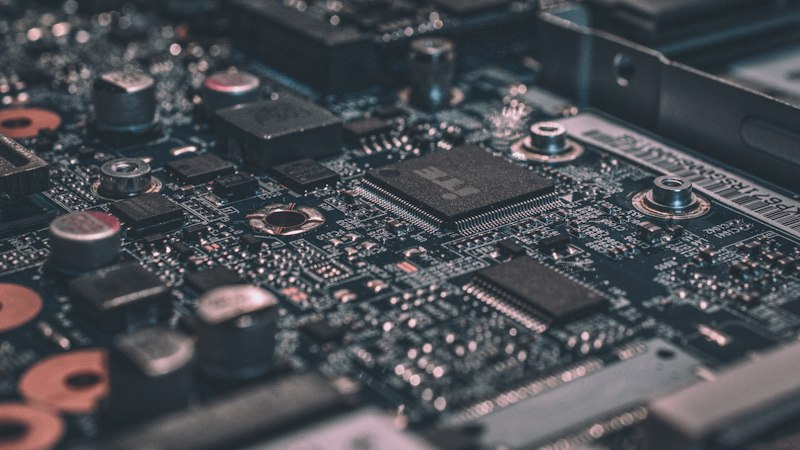
The three routers had been sitting on my desk for a week, each one an identical Nokia badged GPON ONT that Airtel hands out with its fiber connections. Same board, same firmware family, same silkscreen, and buried in the config, the same unused feature: EasyMesh, the Wi-Fi Alliance's standard for stitching multiple access points into one self-organizing network. It ships in the firmware. Airtel just does not let you turn it on.
What followed was less a hack than an excavation: a firmware image that references a scripting runtime it does not actually contain, config bindings that point at radios that do not exist under those names, and a service script that silently fails every time it starts. None of it was hidden on purpose. It reads like a product line that shipped a feature it never finished testing.
| Devices | 3× Nokia branded Zyxel AOT5221ZY |
|---|---|
| Real OEM model | Zyxel PX5311-R0 |
| Silicon | Realtek RTL9617C, quad core ARM Cortex A53 |
| Base OS | OpenWrt 22.03.0, realtek_bb/rtl9617c target |
| Firmware builds | 2.24 / 2.26 (same bug, both builds) |
| ISP | Airtel Xstream Fiber (India) |
| Feature under test | Wi-Fi EasyMesh, present in the firmware, disabled by policy |
Getting past the lock
Getting into the router's configuration at all starts with its backup and restore mechanism. Like a lot of ISP customer premises equipment, this one lets you download an encrypted config blob and upload a modified one, a legitimate admin feature that also happens to be the door in, once you have the key. The router's firmware embeds a single hardcoded password used to derive the AES key for every config file it ever produces, on every unit of this model. It is not unique per device, per serial, or per customer. Pull it once from the firmware's shared library and it decrypts the config of any router in the same family, which is a firmware weakness common enough across this class of hardware that it is barely worth calling a discovery. It is just how these vendors have historically shipped things.
Inside the decrypted config sits a TR-069 data model, the same protocol tree the ISP's own remote
management system uses to push settings, including an Easymesh block with a controller/agent role
field. On the web UI, that field's radio buttons render with the HTML disabled attribute,
greyed out, defaulting to "Disabled." Posting the form value directly, bypassing the disabled attribute
in the browser, does nothing: the backend re-renders the same static page. The lock is not cosmetic;
someone actually gated it server side.
What actually worked: not the web form. The router exposes a lower level remote management interface (RDM) that the web UI itself talks to. Setting the EasyMesh enable flag directly at that layer, below the CGI scripts that guard the web form, persists across reboot and is honored by the backend. The UI lock and the backend logic turned out to be two different, independently guarded things, and only one of them was actually enforced.
A runtime that was never there
With the flag flipped, EasyMesh still did not start. The service that is supposed to bring it up,
rtk_multiap, calls into a Lua script that builds the real mesh config and pushes it into
the wireless stack. Which would be fine, except the firmware has no Lua interpreter. Not disabled, not
stripped, never included. The vendor's own Lua source files are sitting right there in
/usr/lib/lua/, fully intact, with nothing on the filesystem able to execute them.
That is the point where this stopped being a config edit and became a firmware repair. Getting EasyMesh to actually run meant reconstructing, piece by piece, a toolchain the vendor apparently removed, or never finished wiring up, after shipping the code that depends on it. Every fix here exposed the next thing that was missing. It felt less like unlocking a feature than restoring one the vendor had already half abandoned.
Eight fixes to start one daemon
What follows is the actual repair chain, applied live over SSH, on hardware that hung and needed a manual power cycle more than once along the way.
- No interpreter, no execution. Cross compiled a Lua 5.1 build matching the device's exact architecture and glibc version, an older library build was required, since a modern one needed glibc symbols this firmware does not have. Installed to the router's small writable partition, invoked with an explicit library path.
-
The missing config binding. The mesh script needs a Lua to UCI binding library that
does not exist on this build, and the upstream OpenWrt package is compiled for the wrong C library
entirely. Replaced it with a small Lua shim that shells out to the router's own working
ucicommand line tool instead. - Radio names that do not match. The script hardcodes radio identifiers from a different hardware generation. This board names its radios differently. A find and replace, applied only to a patched copy; the original vendor file was never touched.
- An off by one in the naming scheme. The primary wireless network's config name does not follow the same pattern the script assumes for every other network index. One special case, one fix.
- Config that describes a network that is not running. The standard config layer still showed the factory default, disabled Wi-Fi network, because the real, live radios are actually configured by a separate vendor system that writes straight past it. Had to manually bring the two into agreement before letting the mesh script touch either.
- A network entry that was never created. The script reads the LAN bridge's name from a config section that plainly did not exist on this device. Created it by hand.
- The hang. A backhaul selection field the script expects was simply absent, and feeding that gap downstream froze the device solidly enough to need a power cycle, twice. Setting the field to its explicit "wired backhaul, do nothing" value fixed it for good.
- The startup script was still broken. Even with everything above fixed, the router's own boot service still invoked the mesh script the old, broken way, meaning a reboot silently undid all of it. Patched the two command lines in the startup script itself to call the repaired toolchain.
Where it actually ended
After all eight fixes, applied to a controller unit and one agent unit, both sides ran the correct daemon under the correct role for the first time. And then, nothing. The controller's own log filled steadily with the same line, once every ten seconds: a neighbor sync failure between the two daemons that never resolved, before the fixes and after them alike.
That string exists only inside the compiled mesh binaries themselves, not in any script, not in any config file reachable from the shell. Going further from here means either capturing the actual protocol traffic between the two units live, or disassembling the binary that speaks it. Both are real options. Neither happened this round.
Open: mesh formation between repaired units is still unresolved. Everything upstream of the actual 1905.1 handshake now works correctly on two of three units; the failure lives inside the protocol exchange itself.
 Enjoying this?
Get Last Mile in your inbox, daily-ish writing on ISP economics, AI in production, and building in Kashmir.
What this kind of router actually is
The most useful thing about spending a week inside this one router family was not the mesh feature, it was what it revealed about how this class of hardware gets built. The device runs genuine upstream OpenWrt underneath, on real ARM silicon, with a feature standard fully implemented at the protocol level. None of that is fake or crippled. What sits on top of it is a vendor integration layer that was clearly built, tested against a different reference board, and shipped without anyone running the actual startup path end to end on this one. The lock a customer sees in the web UI is not really where the restriction lives; it is just the last, thinnest layer over a much deeper gap in the vendor's own QA.
Two units in this batch still need the same eight step repair applied before a third can join. The neighbor sync failure is the next real target, and the only way through it is a packet capture of two routers trying, and failing, to introduce themselves to each other.
One footnote on where these three came from, since it explains why I had three identical units to burn a week on in the first place: a friend had Airtel fiber installed at his uncle's office, stopped paying for the connection at some point, and Airtel never came back for the ONTs. They sat in a drawer until they ended up on my desk instead, which is how a fair amount of interesting hardware finds its way to the people who actually want to open it up.